
Focus on What Matters, and let our expert do the rest.
Have a Question? Contact Us.
Have a Question? Contact Us.
New Features New Trends
Check out what’s new at HighLevel Stream—from powerful updates to brand-new tools
that help you streamline operations and boost productivity.
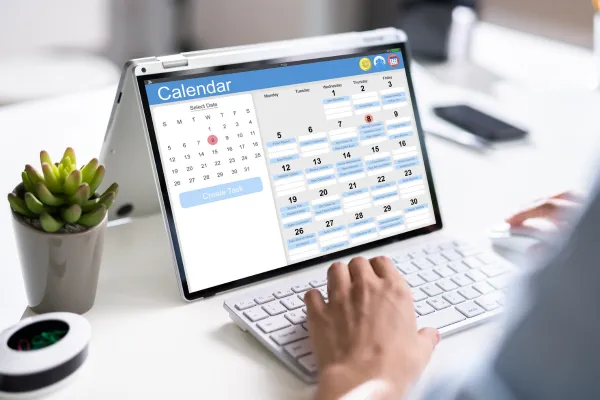
How to Reduce No-Shows and Missed Appointments With Automated Reminders
Introduction
Few things are more frustrating for a business than preparing for an appointment that never happens.
You set aside time, organize your schedule, and get everything ready—only for the customer to miss the appointment without notice.
No-shows don't just affect your calendar. They impact productivity, revenue, customer service, and team efficiency. Over time, even a small number of missed appointments can create significant operational challenges.
Fortunately, many no-shows are preventable.
People get busy. Calendars fill up. Notifications get buried. Missing an appointment is often the result of forgetfulness rather than a lack of interest.
This is where automated appointment reminders make a real difference.
Instead of relying on manual phone calls or hoping customers remember, businesses can use automation to send timely reminders, confirmations, and follow-ups that keep appointments on track.
In this guide, we'll explore why customers miss appointments, how reminder automation works, and how businesses can build a scheduling system that improves attendance while delivering a better customer experience.
Why Do Customers Miss Appointments?
Contrary to popular belief, most missed appointments aren't intentional.
Common reasons include:
forgetting the appointment
scheduling conflicts
missed confirmation emails
lack of reminders
confusion about appointment details
Without consistent communication, even interested customers can accidentally miss their scheduled time.
The Hidden Cost of No-Shows
Every missed appointment represents more than just an empty time slot.
It can lead to:
lost revenue
reduced productivity
scheduling gaps
wasted preparation time
missed opportunities to serve other customers
For businesses that rely on appointments, reducing no-shows directly improves operational efficiency.
What Are Automated Appointment Reminders?
Automated appointment reminders are scheduled messages sent before an appointment to remind customers of their upcoming booking.
Depending on your workflow, reminders can be delivered through:
email
SMS
voicemail
in-app notifications
The goal is simple: help customers remember their appointment and make it easy to confirm or reschedule if needed.
Why Reminder Automation Works
Automation improves consistency.
Instead of relying on staff to remember every reminder, the system handles communication automatically.
Benefits include:
timely reminders
fewer missed appointments
consistent customer communication
less administrative work
improved scheduling efficiency
Customers appreciate proactive communication because it helps them stay organized.
The Five Components of an Effective Reminder System
1. Instant Booking Confirmation
The first message should be sent immediately after an appointment is scheduled.
Include:
date
time
location or meeting link
contact information
This reassures customers that their booking has been received.
2. Reminder Sequence
One reminder is helpful.
Multiple well-timed reminders are even better.
A typical sequence may include:
confirmation immediately after booking
reminder 24 hours before
reminder one hour before
This keeps the appointment top of mind without overwhelming the customer.
3. Easy Rescheduling Options
Life happens.
Instead of forcing customers to cancel completely, provide a simple way to reschedule.
This helps preserve appointments while improving customer satisfaction.
4. Calendar Integration
When appointments automatically sync with digital calendars, customers are less likely to forget.
Calendar integration also reduces scheduling conflicts.
5. Follow-Up After the Appointment
Automation shouldn't stop once the appointment ends.
Post-appointment workflows can include:
thank-you messages
feedback requests
review invitations
recommendations for next appointments
This extends the customer relationship beyond a single visit.
Real-World Business Examples
Business Coach
A coach noticed several missed discovery calls each month.
After implementing automated email and SMS reminders, attendance improved and administrative follow-up decreased.
Marketing Agency
An agency offering strategy sessions frequently experienced last-minute no-shows.
By adding confirmation emails and reminder texts, consultations became more consistent and scheduling became easier to manage.
Home Service Business
A home services company scheduled estimates weeks in advance.
Automated reminders helped customers remember appointments and reduced scheduling confusion.
How to Build an Appointment Reminder Workflow
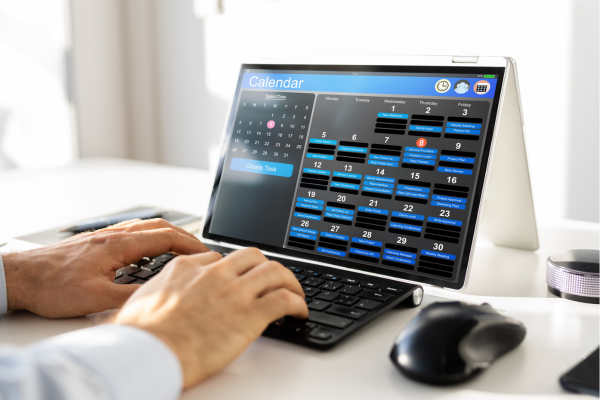
Step 1 — Create an Online Booking Process
Allow customers to book appointments through a digital calendar.
This reduces back-and-forth communication.
Step 2 — Send Immediate Confirmation
Every booking should trigger an automatic confirmation.
Step 3 — Schedule Reminder Messages
Create reminders at strategic intervals before the appointment.
Step 4 — Include Clear Appointment Details
Every reminder should answer:
When is the appointment?
Where is it?
How can the customer contact you?
How can they reschedule?
Step 5 — Automate Follow-Up
After the appointment, continue communication through:
thank-you emails
review requests
educational resources
future scheduling opportunities
Best Practices
✔ Keep reminders concise
✔ Send reminders through multiple channels when appropriate
✔ Make rescheduling simple
✔ Personalize messages with customer names
✔ Test reminder timing regularly
Common Mistakes Businesses Make
❌ Only sending one reminder
❌ Forgetting confirmation emails
❌ Making customers call to reschedule
❌ Providing unclear appointment information
❌ Failing to follow up after appointments
Expert Insight
Appointment reminders aren't just about reducing no-shows.
They're about demonstrating professionalism.
When customers receive timely confirmations, helpful reminders, and clear communication, they gain confidence in your business before the appointment even begins.
Automation enhances the customer experience while allowing your team to focus on delivering excellent service rather than managing repetitive administrative tasks.
Conclusion
Missed appointments don't have to be accepted as part of doing business.
With the right scheduling workflows and automated reminder systems, businesses can reduce no-shows, improve operational efficiency, and create a more reliable experience for both customers and staff.
HighLevel Stream helps businesses simplify appointment management by combining scheduling, CRM, automation, and customer communication into one connected platform.
If your business depends on appointments and you're looking for a better way to reduce no-shows while improving customer communication, HighLevel Stream can help you build an automated reminder system tailored to your workflow.

© 2026 HighLevel Stream | All Rights Reserved
Powered by High Level