
Focus on What Matters, and let our expert do the rest.
Have a Question? Contact Us.
Have a Question? Contact Us.
New Features New Trends
Check out what’s new at HighLevel Stream—from powerful updates to brand-new tools
that help you streamline operations and boost productivity.

CRM Setup Guide for Beginners | HighLevel Stream Tutorial
Setting up a CRM can feel overwhelming — especially if you’re new to automation, systems, or digital tools. Many businesses sign up for a CRM but never fully configure it, which leads to confusion, missed leads, and inconsistent follow-ups.
The truth is: a CRM is only powerful if it’s set up correctly.
This guide will walk you through how to properly set up your CRM in HighLevel Stream so you can manage contacts, track opportunities, and automate communication — without technical stress.
What a CRM Actually Does
A CRM (Customer Relationship Management system) stores and organizes your contacts, conversations, tasks, and deal stages in one place.
Instead of scattered spreadsheets or notes, everything lives inside one structured system.
When configured correctly, a CRM helps you:
track leads
manage follow-ups
monitor conversations
assign tasks
analyze performance
Why Proper Setup Matters
Most CRM frustrations happen because the system wasn’t structured before use.
Common problems:
contacts mixed together
no pipeline stages
no tagging system
no follow-up automation
team confusion
A proper setup prevents these issues from the beginning.
Step-by-Step CRM Setup
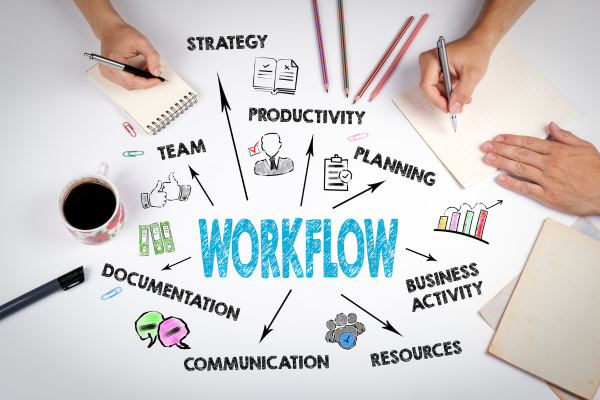
Step 1 — Define Your Pipeline Stages
Before adding contacts, map your sales journey.
Example stages:
New Lead
Contacted
Qualified
Proposal Sent
Closed
Your CRM should reflect your real process — not a generic template.
Step 2 — Import or Add Contacts
Upload contacts or manually add them.
Best practice:
Organize contacts immediately using tags like:
Lead
Client
Prospect
VIP
This helps you segment later.
Step 3 — Set Up Custom Fields
Every business tracks different information.
Examples:
industry
service interest
budget
location
Custom fields allow personalization and smarter filtering.
Step 4 — Create Automations
Once contacts are inside your CRM, automation ensures consistent follow-ups.
Examples:
new lead → welcome message
booked call → reminder SMS
missed appointment → reschedule message
Step 5 — Assign Ownership
For teams or agencies, assign contacts to team members.
This prevents:
duplicate follow-ups
missed responses
confusion
Beginner Setup Framework (Simple Version)

If you’re new, start with this basic structure:
Contacts → Pipeline → Tags → Automations → Tracking
Don’t overcomplicate your first setup.
Common CRM Setup Mistakes
Adding contacts before defining stages
No tagging system
Overloading with unnecessary fields
Skipping automation
No testing
Pro Tip
Your CRM should match your workflow — not the other way around.
Conclusion
A properly configured CRM isn’t just a contact list — it’s the operational backbone of your business. With the right setup inside HighLevel Stream, you gain structure, clarity, and consistency across your entire client journey.
Need help setting up your CRM the right way the first time?
Reach out and we’ll guide you through the process step by step.


© 2026 HighLevel Stream | All Rights Reserved
Powered by High Level