Client Journey Automation: How to Create a Seamless Experience From First Contact to Conversion
Most businesses focus heavily on getting leads — but what happens after a lead comes in is just as important.
A slow response, missed follow-up, or unclear next step can quickly turn a potential client into a lost opportunity.
This is where client journey automation becomes essential.
Instead of relying on manual communication and inconsistent processes, automation ensures that every lead experiences a smooth, structured, and professional journey from first contact to conversion — and beyond.
In this guide, we’ll break down how to design and automate your client journey using HighLevel Stream so you can improve both customer experience and business efficiency.
What Is a Client Journey?
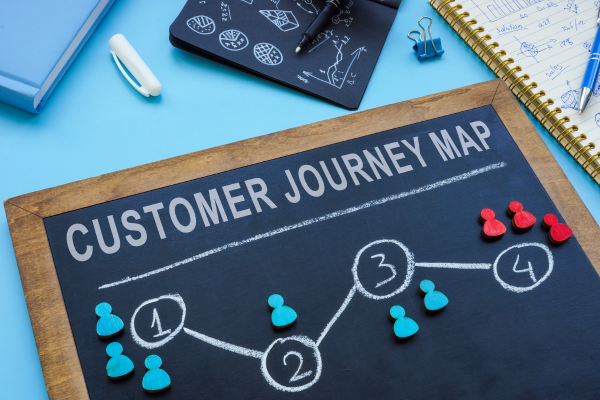
The client journey is the full experience a person goes through when interacting with your business.
It typically includes:
discovery (finding your business)
inquiry (showing interest)
engagement (communication)
decision (conversion)
onboarding (after becoming a client)
Each stage influences whether someone moves forward or drops off.
Why Client Journey Automation Matters
Without automation, client experiences often become inconsistent.
Some leads get fast responses. Others wait hours or days. Some receive follow-ups. Others are forgotten.
This inconsistency leads to:
lost leads
lower conversions
poor client experience
Automation ensures every lead gets:
immediate response
clear next steps
consistent communication
The 5 Key Stages of an Automated Client Journey
1. Lead Capture Stage
This is where the journey begins.
Leads enter your system through:
funnels
forms
booking pages
Automation Role:
instantly confirm submission
send welcome message
assign contact tags
2. Lead Engagement Stage
After initial contact, engagement determines whether the lead stays interested.
Automation Role:
send follow-up messages
provide helpful information
answer common questions
Example:
A consultant sends automated tips after a lead signs up.
3. Qualification Stage
Not all leads are the right fit.
Automation Role:
use forms or surveys to qualify
segment leads based on responses
route leads to appropriate next steps
4. Conversion Stage
This is where the lead becomes a client.
Automation Role:
send booking confirmations
provide clear instructions
reduce friction in decision-making
Example:
Automated reminders reduce missed appointments.
5. Onboarding Stage
Many businesses neglect this stage.
A smooth onboarding process improves retention and satisfaction.
Automation Role:
send welcome messages
provide onboarding instructions
set expectations
Real Business Examples
Agency Example
Before automation:
inconsistent onboarding
repeated manual communication
After automation:
onboarding emails sent automatically
client instructions standardized
Result: smoother experience and reduced workload.
Local Business Example
Before automation:
slow response to inquiries
After automation:
instant reply + booking link
Result: more appointments booked.
Coach / Consultant Example
Before automation:
leads lost between inquiry and booking
After automation:
structured follow-up sequence
Result: higher conversion rate.
How to Build a Client Journey Automation System
Step 1 — Map Your Current Journey
Write down:
how leads enter
what happens next
where delays occur
Step 2 — Identify Gaps
Look for:
slow responses
missing follow-ups
unclear steps
Step 3 — Assign Automation to Each Stage
For every stage, define:
trigger
action
timing
Step 4 — Build Workflows in HighLevel Stream
Create workflows for:
lead response
follow-ups
reminders
onboarding
Step 5 — Test the Full Journey
Experience your process as a lead would.
Check:
message clarity
timing
flow
Best Practices for Client Journey Automation
✔ Keep communication clear and simple
✔ Avoid overwhelming leads with too many messages
✔ Personalize when possible
✔ Maintain consistent tone
✔ Always include a clear next step
Common Mistakes to Avoid
❌ No onboarding process
❌ Over-automation (too many messages)
❌ Lack of personalization
❌ No clear next step
❌ Ignoring client experience
Expert Insight
The best businesses don’t just automate tasks — they design experiences.
Client journey automation is not just about efficiency. It’s about creating a professional, seamless interaction that builds trust at every stage.
Conclusion
Client journey automation bridges the gap between operational efficiency and customer experience.
By structuring and automating each stage — from first contact to onboarding — businesses can improve conversions, reduce manual workload, and create a more consistent and professional experience.
With HighLevel Stream, building this system becomes simple, scalable, and highly effective.
If you’d like help mapping and automating your client journey, send us a message and we’ll help you design a system tailored to your business.
